
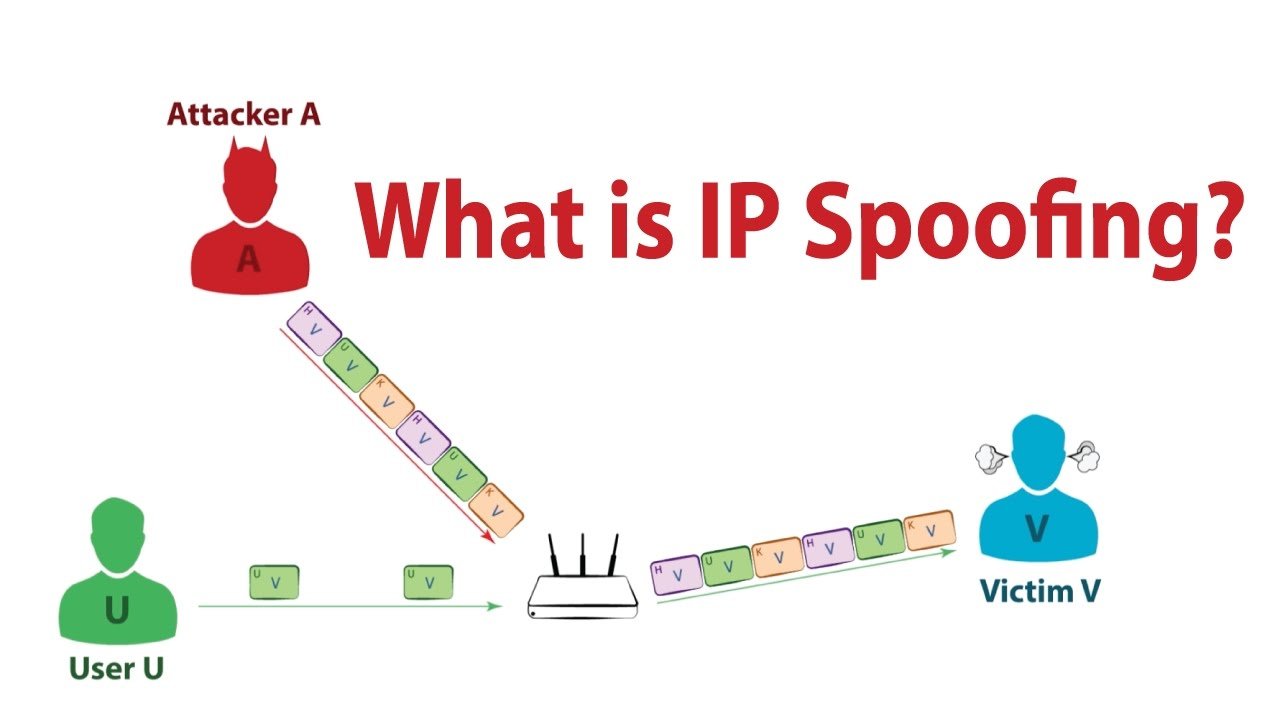
When gamers search for an exception spoofer, they are usually trying to understand hardware identity tools, why a particular utility has stopped functioning, or what options exist after encountering a game-related restriction. The subject can be confusing because spoofing software often makes broad claims about compatibility, privacy, and ban protection.
The reality is more complicated. Modern games use increasingly sophisticated anti-cheat systems, while Windows itself has become more security-focused. A tool that worked under older system conditions may behave differently after an operating system update, a game patch, or a change to the anti-cheat software.
This guide explains what spoofing software is, why these utilities can fail, what warning signs users should watch for, and how to approach gaming restrictions without putting a computer or account at unnecessary risk.
What Does a Hardware Spoofer Actually Do?
A hardware spoofer is software designed to alter or mask certain identifiers that a computer exposes to applications. Depending on the product, those identifiers may relate to components such as a motherboard, storage device, network adapter, or other system information.
The idea sounds simple, but modern computers expose hardware information through multiple layers. An application may obtain information through Windows, drivers, firmware, system services, or other mechanisms. Changing one visible value does not necessarily change every identifier associated with the machine.
That distinction matters.
A utility may report that an identifier has changed while another application can still obtain information that remains unchanged. This is one reason users sometimes believe a spoofer has worked initially only to encounter the same restriction later.
Hardware spoofing is also different from ordinary privacy protection. A privacy-focused application might limit tracking or protect network traffic. A hardware spoofer instead focuses on system identifiers. The two concepts should not be treated as interchangeable.
Why an Exception Spoofer May Stop Working
There is rarely one universal reason a spoofing tool stops functioning. Gaming platforms and operating systems change constantly, so compatibility can disappear without the software itself receiving an obvious error.
Several factors commonly contribute to problems.
Anti-Cheat Systems Keep Evolving
Anti-cheat software is designed to identify suspicious software, unauthorized modifications, and unusual system behavior. Developers can change detection methods through updates without changing the main game itself.
A spoofing utility that was compatible with one version of an anti-cheat system may therefore become unreliable after an update.
This creates a moving target. The software provider must continuously maintain compatibility while the game developer is simultaneously trying to identify techniques that could undermine its security controls.
Windows Updates Can Change System Behavior
Windows updates can modify drivers, security features, permissions, boot processes, and virtualization-related behavior.
A program that depends on older system behavior may suddenly encounter compatibility problems. This is especially relevant on Windows 11, where hardware-backed security features are increasingly common.
Users should be cautious whenever software asks them to disable major Windows security features simply to make a utility function. A temporary compatibility improvement may not justify weakening the security of the entire computer.
Game Updates Can Break Compatibility
A game update can change more than graphics or gameplay. Anti-cheat components may also receive updates.
That can result in situations where a tool appears to work normally with one game version but behaves differently after an update. Users may notice crashes, failed initialization, unexpected warnings, or a tool that simply reports that the operation was unsuccessful.
Firmware and Hardware Differences Matter
Two computers running the same version of Windows can behave differently because their motherboard firmware, processors, storage devices, TPM configuration, and security settings are different.
This makes universal compatibility claims difficult to trust.
A utility that works on one hardware configuration may not behave identically on another.
Signs That a Spoofing Tool Is Outdated
Not every failure means the computer is damaged. Sometimes the software is simply incompatible with the current environment.
Look for warning signs such as:
- The application suddenly stopped working after a game update.
- A previously supported Windows version is no longer recognized.
- The program repeatedly crashes during initialization.
- Support documentation has not been updated for a long period.
- Error messages appear after Windows security updates.
- The developer provides vague answers about current compatibility.
- Users report inconsistent results across different hardware.
- The software requests increasingly risky system changes.
A single problem does not automatically prove that a product is unsafe. Several of these signs together, however, should make a user reconsider continuing with it.
Can Spoofing Software Cause Windows Problems?
Potentially, yes.
Software that interacts with low-level system components can carry more risk than an ordinary desktop application. The exact risk depends on how the product works, which components it modifies, and whether its drivers are properly maintained.
Possible problems can include:
Driver Conflicts
Low-level drivers can conflict with other drivers or security software. This may lead to instability, crashes, or unexpected behavior.
Boot Problems
If software interferes with components involved in the startup process, recovering the system can become more difficult than simply uninstalling an ordinary application.
Security Feature Conflicts
Windows includes protections designed to prevent unauthorized low-level changes. Disabling these protections can make troubleshooting easier in some circumstances, but it can also reduce the computer’s overall security.
Activation or Configuration Issues
Changes to system-level information can sometimes create unexpected interactions with Windows configuration or hardware recognition.
For that reason, users should create a reliable backup before installing software that claims to modify low-level system information.
Exception Spoofer vs. Legitimate Account Recovery
One of the biggest misconceptions surrounding spoofing tools is the belief that changing hardware information automatically resolves every type of ban.
It does not.
A gaming restriction can be connected to an account, behavior, device, network environment, or a combination of factors. Some restrictions are temporary. Others are permanent. Some can be appealed through official support channels.
That means a hardware-level utility is not a universal solution.
If an account has been restricted incorrectly, the safest first step is usually an official appeal. If the restriction resulted from prohibited software or behavior, creating another account or attempting to conceal the original activity can violate the game’s rules and potentially result in further restrictions.
How to Evaluate a Spoofing Product
If you are researching an exception spoofer or another system-identity utility, do not judge the product solely by advertisements or testimonials.
Use a more practical checklist.
| Area | What to Check |
|---|---|
| Developer reputation | Is there a recognizable developer and established support history? |
| Compatibility | Does documentation clearly identify supported Windows and hardware configurations? |
| Updates | Are compatibility updates released when major games or Windows versions change? |
| Security | Does the software require disabling important security protections? |
| Transparency | Does the provider explain what the software actually changes? |
| Recovery | Are there documented recovery procedures if something goes wrong? |
| Refund policy | Are payment and refund terms clearly explained? |
| Support | Can users obtain meaningful technical assistance? |
Be particularly careful with products that promise guaranteed results. No third-party tool can reasonably guarantee that a particular gaming platform will never detect or restrict a system.
Why “Permanent” Spoofing Claims Deserve Attention
Some products advertise permanent changes as a major advantage. That wording can be misleading.
A temporary software-level change and a permanent modification to hardware or firmware are very different things.
Temporary approaches may revert after restarting the computer. Permanent modifications can create much greater recovery and maintenance concerns.
Users should ask exactly what “permanent” means before accepting such a claim.
Does it mean the setting survives a restart? Does it modify Windows configuration? Does it alter firmware? Does it change physical hardware? Or is it simply marketing language?
Clear technical documentation should answer those questions.
Temporary Changes vs. Permanent Changes
The difference can be summarized simply:
Temporary changes
- May revert after restarting.
- Generally create fewer long-term configuration concerns.
- Can still interfere with software or security tools.
- Do not necessarily change every identifier exposed by the computer.
Permanent changes
- May survive restarts or system changes.
- Can be harder to reverse.
- May create warranty or troubleshooting complications.
- Carry greater risk when firmware or low-level configuration is involved.
For ordinary users, reversibility is usually a valuable characteristic. If software creates a problem, being able to restore the previous configuration is far better than being left with an unstable system.
What About Popular Games?
Games such as Valorant, Call of Duty, Fortnite, Apex Legends, and platforms built around GTA V can have different security systems and enforcement policies.
This means there is no reliable universal formula.
A tool that claims broad compatibility should still be evaluated on a game-by-game basis. Anti-cheat systems can change independently, and a game’s enforcement policy may prohibit attempts to bypass restrictions even when the underlying technology appears to function.
The safest approach is to check the game’s current rules and official support information before taking action.
For FiveM in particular, server-level moderation and platform-level restrictions can also be different. A problem on one server does not necessarily mean the entire platform has imposed the same restriction.
How to Troubleshoot Gaming Restrictions Safely
Before installing another low-level utility, work through the basics.
1. Identify the Exact Restriction
Write down the error message or restriction notice. A crash, connection problem, account suspension, and anti-cheat detection are not necessarily the same issue.
2. Check Official Status Pages
The game or platform may be experiencing a service problem. There is little value in changing system configuration when the actual issue is server-side.
3. Update Windows and the Game
Outdated software can create compatibility problems with modern anti-cheat components.
4. Remove Conflicting Software
Overlay programs, debugging utilities, unauthorized modifications, and outdated drivers can sometimes interfere with games.
5. Review Official Support Guidance
If the problem concerns an account restriction, use the game’s appeal or support process instead of assuming that a hardware change is required.
6. Back Up Important Data
Before making significant system changes, ensure important files are safely backed up.
7. Avoid Random Drivers
Do not install unsigned or unknown drivers simply because a forum post claims they are necessary. Low-level software deserves considerably more scrutiny than an ordinary application.
Common Mistakes Users Make
People researching an exception spoofer often focus on whether a tool can change an identifier. That is only one part of the picture.
Another common mistake is assuming that every ban is hardware-based. Some are not.
Users can also make matters worse by repeatedly installing different utilities, changing system settings without recording the original configuration, or disabling Windows protections they do not fully understand.
A cleaner troubleshooting process is usually more effective:
Identify the problem → check the official explanation → restore a stable system → investigate compatibility → use the appropriate appeal or support process.
That approach also makes it easier to determine whether the original issue was actually related to hardware identification.
Is an Exception Spoofer Worth Using?
The answer depends heavily on the reason someone is considering it.
If the goal is simply to solve a game crash, connection problem, or ordinary Windows error, spoofing software is usually the wrong category of solution.
If the goal is to understand how hardware identifiers work, it can be an interesting technical subject. Researchers and developers can study system identity, virtualization, device enumeration, and Windows security without attempting to circumvent a game’s enforcement system.
For someone dealing with a legitimate account restriction, official recovery and appeal options are generally the lower-risk route.
The biggest concern is not whether a particular utility has a long feature list. It is whether the software creates additional security, stability, or account risks while attempting to solve the original problem.
Safer Alternatives to Consider
Depending on the situation, several alternatives may be more appropriate.
For account restrictions: Use the platform’s official appeal process.
For game crashes: Update drivers, Windows, and the game, then investigate conflicting applications.
For connection problems: Check network configuration, server status, and the game’s support documentation.
For privacy concerns: Use reputable privacy and security tools rather than software designed specifically to bypass gaming restrictions.
For testing software: Use a virtual machine or controlled test environment when appropriate, rather than modifying a primary gaming computer.
These solutions may not sound as dramatic as a system-level utility, but they are easier to understand and usually easier to reverse.
Questions to Ask Before Installing One
Before downloading any tool that modifies system identity, ask yourself:
- What exact problem am I trying to solve?
- Is the problem actually related to hardware identification?
- Does the game’s policy allow this type of software?
- Does the developer provide current documentation?
- What permissions does the program require?
- Can the original configuration be restored?
- Does the software require security protections to be disabled?
- What happens if the tool stops working after a Windows update?
If you cannot answer these questions, installing the software immediately is probably not a good idea.
Frequently Asked Questions
What is an exception spoofer used for?
An exception spoofer generally refers to a utility intended to alter or mask certain hardware or system identifiers presented to software. People commonly associate these tools with gaming restrictions. However, changing an identifier does not guarantee that a game will accept the system or remove an account restriction. Compatibility and platform policies can also change over time.
Can a hardware spoofer remove a game ban?
Not necessarily. Gaming restrictions can involve accounts, device information, behavior, network signals, or other factors. Some bans are handled entirely at the account level. A hardware identity change therefore should not be treated as a guaranteed way to reverse enforcement. If you believe a restriction is incorrect, the platform’s official appeal process is the safer option.
Why do spoofing tools stop working after updates?
Game and anti-cheat developers regularly modify their software. Windows updates can also change drivers, security controls, permissions, and system behavior. A utility that depends on a particular technical implementation may therefore become incompatible after an update. This is one reason claims of permanent or universal compatibility should be treated carefully.
Can spoofing software damage a computer?
Low-level software can create more serious problems than normal desktop applications because it may interact with drivers, system configuration, or security features. Problems vary by product and system. Users should be especially cautious if an application requires disabling important protections, installing unknown drivers, or making changes that are difficult to reverse.
Is temporary spoofing safer than permanent modification?
Temporary changes are generally easier to reverse because the original configuration can return after a restart or removal of the software. That does not make every temporary tool safe. The underlying implementation still matters. Permanent changes can introduce additional recovery and maintenance concerns, especially when firmware or low-level configuration is involved.
Should I use a spoofer after receiving an anti-cheat warning?
First determine what the warning actually means. It may indicate a software conflict, detection event, account restriction, or another issue. Installing additional system-level software without understanding the warning can make troubleshooting harder. Review the game’s official documentation and support options before changing hardware or Windows configuration.
How can I tell whether a spoofing tool is trustworthy?
Look for transparent documentation, a credible developer, current compatibility information, clear support channels, and sensible recovery instructions. Be cautious about exaggerated guarantees, anonymous drivers, unexplained system modifications, and demands to disable security features. Independent technical information is generally more useful than testimonials that only claim a tool “worked.”
What should I do if my computer becomes unstable after using one?
Stop making additional system changes and focus on restoring a known-good configuration. If you created a restore point or backup beforehand, use the appropriate recovery method. Remove unfamiliar software only when you understand its role, and seek qualified technical assistance if Windows will not boot or repeatedly crashes. Avoid installing another unknown utility to fix the first one.
Final Thoughts
The appeal of an exception spoofer comes from the promise of a quick technical solution to a frustrating gaming problem. Yet system identity, anti-cheat technology, Windows security, and account enforcement are all more complicated than simply changing one hardware value.
A tool can become outdated when a game or operating system changes. It can also introduce new problems if it relies on aggressive system modifications or poorly maintained drivers.
Before using any low-level utility, identify the actual problem, understand the risks, check the current game rules, and prioritize reversible solutions. When an account restriction is involved, official support and appeal channels remain the most dependable starting point. A stable computer and a secure account are worth more than a quick fix that creates another problem.