
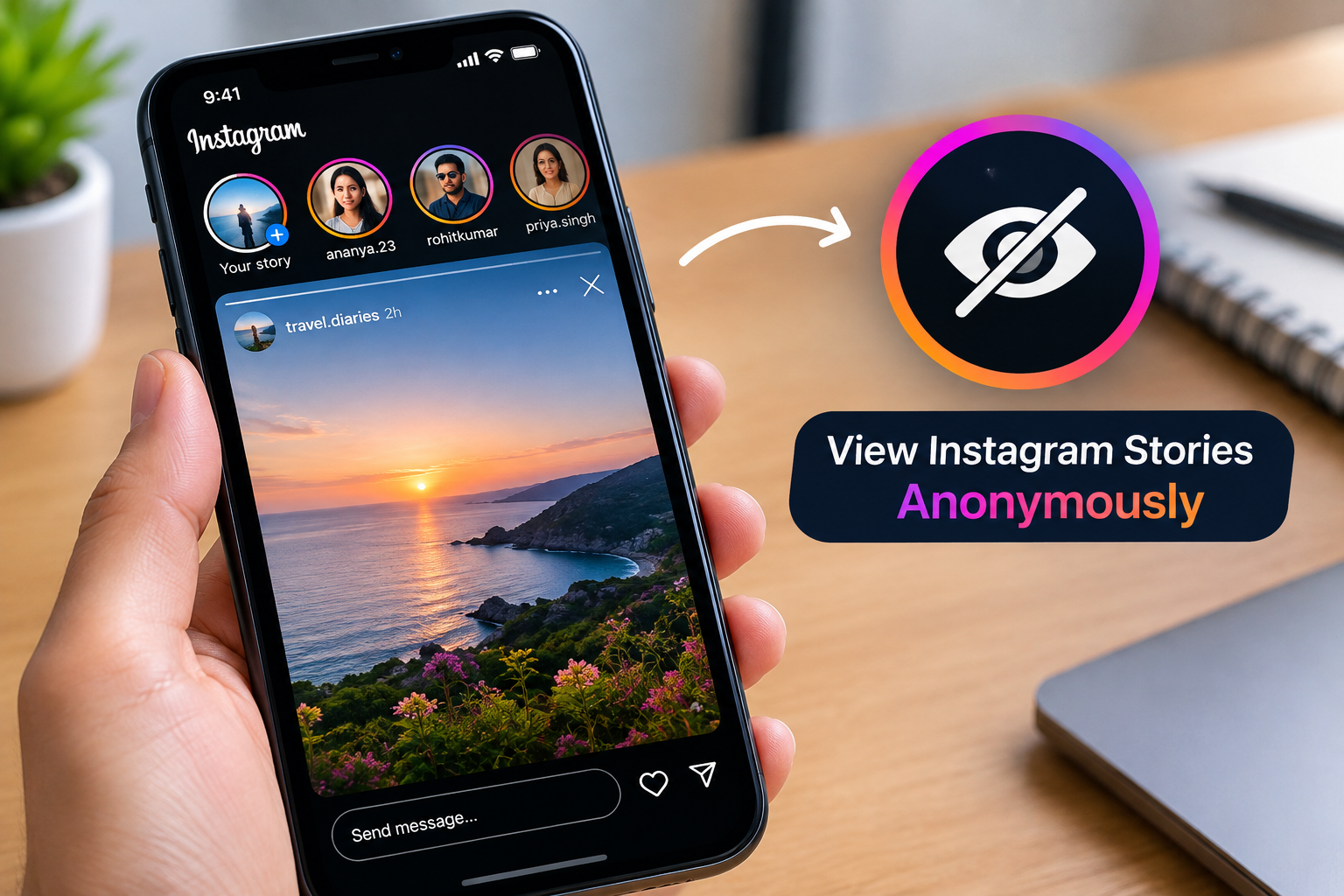
Instagram has become a major source of photos, short videos, stories, reels, and other visual content. That popularity has also created demand for third-party tools that let people browse or save publicly available posts without opening the Instagram app. Stealth Gram is one such browser-based service, promoted around public Instagram content and story viewing without requiring a traditional Instagram login.
For someone researching the tool, the most useful questions are not simply whether it has a download button. Users also want to know what content it can access, whether private profiles are supported, what “anonymous” actually means, how dependable downloads are, and what risks can come with an unofficial service.
This guide explains those points in practical terms and separates advertised capabilities from things that should not automatically be treated as guarantees.
What Is Stealth Gram?
Stealth Gram is an unofficial web-based service designed around accessing publicly available Instagram content. Unlike the official Instagram application, it is presented as a separate website rather than a Meta-owned product.
Its main appeal is convenience. Users can reportedly search for public Instagram profiles and interact with available content without installing an application or entering an Instagram username and password into the service.
The general process is straightforward:
- Open the third-party website in a browser.
- Enter an Instagram username or profile address.
- Search for the account.
- Browse content that is publicly accessible.
- Use an available download option when one is provided.
The exact experience can vary depending on the account, content type, browser, and Instagram’s current technical environment.
That last point matters because third-party Instagram tools depend on access to information that can change over time. A feature that works today may stop working after changes to Instagram’s website, delivery systems, restrictions, or access controls.
Users should therefore think of this type of service as an independent third-party utility rather than a permanent extension of Instagram itself.
What Content Can You Access?
The service is primarily associated with public Instagram material. Its advertised capabilities extend beyond stories and may include several common types of Instagram media.
| Content type | Possible use | Main limitation |
|---|---|---|
| Stories | View or save public stories | Private stories are outside the stated scope |
| Highlights | View or download public highlights | Availability can vary |
| Reels | Save publicly available reels | Retrieval may change with platform restrictions |
| Photos | Download public images | Downloading does not grant reuse rights |
| Carousel posts | Retrieve media from public posts | Some items may fail to load |
| Profiles | Search public profiles | A searchable profile does not guarantee every item will appear |
This distinction between advertised functionality and guaranteed functionality is important.
A third-party website can advertise support for a particular format without being able to retrieve every example of that format. Instagram content may be unavailable because an account changes its visibility settings, a post is removed, a particular media format is handled differently, or the third-party service cannot retrieve it successfully.
For that reason, a failed download does not necessarily mean the Instagram content itself is unavailable.
How Public Instagram Viewing Works
The key concept behind services like this is public accessibility.
When an Instagram profile is public, its content can generally be viewed by people who are not approved followers. Third-party services may attempt to retrieve information associated with that publicly accessible content and present it through their own interface.
This does not mean the third-party service has special access to Instagram.
There is a major difference between:
- Viewing something that Instagram makes publicly accessible
- Accessing content behind an account’s privacy controls
- Collecting information automatically
- Downloading media for personal reference
- Reusing someone else’s copyrighted material
These activities should not be treated as interchangeable.
A public account is not an invitation to bypass restrictions. If an account is private, a service claiming that it can unlock private stories or hidden posts deserves particular caution. Legitimate public-content viewing and privacy circumvention are fundamentally different things.
Can It View Private Instagram Accounts?
No. The service is intended for publicly available Instagram content and does not provide legitimate access to private profiles.
This limitation is worth understanding because searches for anonymous Instagram viewers often lead to websites making exaggerated promises. A tool cannot reasonably turn a private Instagram account into a public one simply because someone enters a username.
If a website claims it can reveal private stories, private posts, or restricted account information, users should be especially careful. Such promises can be used to encourage visitors to submit login credentials, download software, complete suspicious surveys, or provide other sensitive information.
A safer rule is simple: never use a third-party viewer as a way to defeat another person’s Instagram privacy settings.
Is Anonymous Viewing Really Anonymous?
The word “anonymous” can be misleading if it is interpreted too broadly.
A no-login website may allow you to browse public content without signing into Instagram. That can mean your Instagram account is not directly involved in the viewing process. However, it does not automatically mean the third-party website knows nothing about you.
A website may potentially process technical information such as:
- IP address
- Browser information
- Device characteristics
- Cookies
- Analytics identifiers
- Search requests
- Profile URLs
- Referrer information
- Download requests
The amount of information collected depends on the site’s technical setup and privacy practices.
This is why there is a difference between anonymous from the Instagram account’s perspective and completely anonymous on the internet.
A VPN can hide or change the IP address presented to a website, but it does not automatically make a third-party service trustworthy. A VPN also cannot tell you what data a website stores internally.
If privacy is your main concern, review the site’s privacy information and avoid providing unnecessary personal information.
Is Stealth Gram Safe to Use?
Safety depends on more than whether a website loads correctly.
A browser-based public-content tool may appear simple because it does not require an installation. However, users still need to watch for deceptive download buttons, redirects, pop-ups, notification requests, or pages asking for unnecessary information.
Several basic precautions can reduce avoidable risks.
Never enter your Instagram password
There should be no reason to give an unofficial public-content viewer your Instagram password.
Never provide:
- Instagram passwords
- Two-factor authentication codes
- Recovery codes
- Session cookies
- Password-reset links
- Other account credentials
If a supposed viewer suddenly asks you to log into Instagram before showing public content, stop and reconsider the interaction.
Avoid unknown extensions and applications
If a website claims that a browser-based service requires a separate executable, extension, or mobile application, treat that request carefully.
A normal image or video download should not require you to install unrelated software simply to open the resulting media.
Be careful with fake download buttons
Third-party websites can contain advertising and multiple buttons that look similar.
Before clicking anything, check what the button actually does. Avoid files that appear unrelated to the media you intended to download.
An Instagram photo or video should not normally arrive as an executable installer.
Keep browser protections enabled
Do not disable security warnings simply because a website tells you that doing so will make a download work.
Using an updated browser and maintaining normal security settings adds another layer of protection.
How Reliable Are Third-Party Instagram Downloaders?
Reliability can change considerably.
Instagram regularly modifies its website, content delivery systems, account restrictions, and technical behavior. Third-party tools have to adapt to those changes, which can cause temporary or permanent failures.
A service may successfully retrieve one public reel but fail to retrieve another. A story may appear in a search result but fail during download. A profile may work on a desktop browser but behave differently on a mobile device.
Common problems can include:
- Profile not appearing in search
- Story unavailable
- Download button not responding
- Media loading indefinitely
- Broken or incomplete downloads
- Temporary service outages
- Redirects or excessive advertising
- Different results between browsers
Therefore, users should not assume that a third-party Instagram downloader will work with every public account or every media format.
What Are the Main Advantages?
The appeal of Stealth Gram comes from convenience rather than complicated features.
Potential advantages include:
- Browser-based access
- No application installation advertised
- Public profile searching
- No Instagram login claimed to be necessary
- Support for several types of public media
- Convenient access from a desktop or mobile browser
For occasional public-content searches, those characteristics can make a third-party viewer attractive.
However, convenience should not be confused with an official relationship with Instagram. The service remains separate from Instagram and depends on technical methods that may change.
What Are the Main Limitations?
The limitations are equally relevant when deciding whether a third-party viewer fits a particular task.
Public accounts only
Private profiles cannot legitimately be treated as searchable public sources.
No guaranteed availability
A feature listed on a website does not mean every piece of content will successfully download.
Privacy claims may be difficult to verify
Statements about not storing activity or viewing information are difficult for an ordinary visitor to independently confirm without technical documentation or an independent audit.
Platform changes can affect performance
If Instagram changes its systems, third-party services may experience interruptions or compatibility problems.
Copyright still applies
Saving a file does not transfer ownership of the underlying photograph, video, music, artwork, or other protected material.
These limitations are especially important for anyone considering downloaded content for commercial or public use.
Downloading Content Does Not Give You Ownership
One of the easiest mistakes to make with Instagram downloaders is confusing access with permission.
Suppose a photographer publishes a public image. You may be able to view that image and potentially save a copy through a third-party tool. That does not automatically give you permission to upload the same photograph to your own account, place it on a business website, use it in advertising, or sell it.
The same principle applies to reels, stories, artwork, videos, and other original material.
Before republishing someone else’s content, consider:
- Who created the material?
- Is it protected by copyright?
- Has the creator granted permission?
- Is there an applicable license?
- Are there additional privacy or publicity considerations?
- Are you using the content commercially?
- Do Instagram’s rules impose additional restrictions?
Giving credit to the original creator can be respectful, but credit alone does not necessarily replace permission.
If you want to use somebody else’s content publicly, getting appropriate authorization is the safer approach.
When a Third-Party Viewer May Be Useful
There are legitimate situations where someone may simply want to inspect publicly available information without maintaining another login session.
For example, a user might want to:
- Check a public profile from a browser
- Save their own publicly posted reference material
- Review publicly available visual content
- Keep a personal reference copy where permitted
- Examine a public post before sharing it
The purpose matters.
Using a public viewer to look at content that is already openly available is different from attempting to defeat privacy controls or collect restricted information.
The same distinction applies to downloading. A personal reference copy and commercial republication are not the same use case.
A Safer Approach to Your Own Instagram Archive
If your goal is to save your own Instagram photos, stories, posts, or account information, an unofficial downloader is not necessarily the most appropriate solution.
Instagram provides account-management and information-export options through its own ecosystem. These tools are designed specifically for users who want access to information associated with their accounts.
An official export can be more suitable when you need a structured archive of your own material.
A typical process involves:
- Open Instagram and access your account settings.
- Go to Accounts Center.
- Open the section related to your information and permissions.
- Select the available download or export option.
- Choose the relevant account and information categories.
- Select available date, format, and media-quality settings.
- Submit the request and wait for the export to become available.
The exact menu names can change as Instagram updates its applications and settings.
For your own account, using an official export route also avoids handing account credentials to an unrelated third-party downloader.
Practical Safety Checklist
Before using any unofficial Instagram viewing or downloading website, run through this checklist:
Account security
- Do not provide your Instagram password.
- Never share authentication codes.
- Do not submit session cookies.
- Keep two-factor authentication enabled.
Browser security
- Use an updated browser.
- Keep security warnings enabled.
- Avoid unknown extensions.
- Do not install suspicious applications.
Download safety
- Check the file type before opening it.
- Avoid executable files presented as media.
- Be cautious of unexpected archives.
- Close pages that repeatedly redirect you.
Privacy
- Read available privacy information.
- Avoid entering unnecessary personal details.
- Remember that “no login” does not mean “no data collection.”
Content rights
- Treat downloaded material as belonging to its original creator.
- Ask for permission when appropriate.
- Do not assume public visibility grants commercial reuse rights.
- Respect requests concerning redistribution.
This checklist cannot guarantee that an unofficial service is safe, but it can prevent several common mistakes.
Stealth Gram vs. Official Instagram Tools
The two approaches serve different purposes.
| Factor | Third-party viewer | Official Instagram tools |
|---|---|---|
| Main purpose | Public-content viewing or downloading | Account use and account management |
| Instagram login | Often advertised as unnecessary | Designed around your Instagram account |
| Private content | Not legitimately supported | Controlled through Instagram privacy settings |
| Installation | Browser-based services may require none | Official Instagram options are integrated into its ecosystem |
| Reliability | Can change with third-party compatibility | Controlled by Instagram |
| Data handling | Depends on the third-party service | Governed by Instagram’s own systems and policies |
| Copyright | Still applies | Still applies |
This comparison does not mean one tool is suitable for every situation. The right approach depends on whether you are viewing public content, managing your own account, or trying to create an archive of material you own.
What to Check Before Using Stealth Gram
If you decide to test the service, take a few minutes to evaluate the page itself.
Look for clear information about:
- The site’s identity and ownership
- Privacy practices
- Terms of use
- Contact information
- What information is collected
- Whether downloads are actually provided
- Whether unexpected software is required
Also pay attention to how the website behaves.
A simple public-content search should not require you to disable browser protections, provide an Instagram password, install an unrelated program, or enter sensitive payment information.
If any of those conditions appear unexpectedly, leaving the site is usually more sensible than trying to force the process to work.
Frequently Asked Questions
Is Stealth Gram an official Instagram service?
No. It is presented as an independent third-party website rather than an Instagram or Meta product. Users should therefore avoid assuming that its features, privacy claims, or operating practices are backed by Instagram. The absence of an Instagram login requirement also does not establish an official connection between the two services.
Can it access someone’s private Instagram story?
No legitimate public-content viewer should be treated as a way to bypass a private account. Services in this category are intended for content that is publicly accessible. If a website claims that it can unlock private stories or posts, especially after requesting credentials or payment, users should treat that claim as a warning sign.
Does anonymous viewing mean my activity cannot be tracked?
Not necessarily. Avoiding an Instagram login can separate the activity from your Instagram account, but the third-party website may still process technical information such as an IP address, browser details, cookies, analytics data, or search requests. Only the service’s actual technical practices can establish what it records and how long that information is retained.
Can I repost a downloaded Instagram photo?
Downloading a photo does not automatically give you permission to republish it. The original creator may retain copyright or other applicable rights. If you want to use somebody else’s image publicly, commercially, or in a new project, check the applicable license and obtain permission when necessary rather than assuming that public availability equals reuse permission.
Why might an Instagram download fail?
Third-party downloaders depend on access methods that can stop working when Instagram changes its systems or restrictions. Individual accounts and media formats can also behave differently. A failed download may result from temporary technical problems, unavailable content, account settings, compatibility issues, or changes on Instagram rather than a problem with your browser.
Should I enter my Instagram password into a third-party viewer?
No. A service intended to locate publicly accessible content should not need your Instagram password. Never provide passwords, authentication codes, recovery information, or session cookies to an unofficial viewer. If a website unexpectedly demands credentials before allowing access to public content, close the page and use an official Instagram method instead.
What should I use to save my own Instagram information?
For your own account, Instagram’s built-in information export options are the more direct approach. They are designed to let account holders request copies of their information and media through Instagram’s account-management system. This is preferable when your objective is creating an authorized archive rather than retrieving another person’s public content.
Does using a VPN make an Instagram viewer completely private?
No. A VPN can change the IP address visible to the destination website, but it does not automatically prevent other forms of data collection. Browser characteristics, cookies, analytics identifiers, and activity within the third-party site may still be processed. A VPN should therefore be viewed as one privacy measure rather than proof that a website provides complete anonymity.
Final Thoughts
Stealth Gram sits in a category of third-party tools built around viewing and saving publicly accessible Instagram material without relying on the normal Instagram interface. Its convenience comes from browser-based access and the claimed ability to work without an Instagram login.
The important part is understanding the boundaries. Public content does not mean private content can be bypassed, anonymous viewing does not guarantee complete privacy, and downloading a file does not transfer copyright ownership. Reliability can also change as Instagram modifies its technical systems.
If you use a service of this type, keep your Instagram credentials private, avoid suspicious downloads and extensions, respect creators’ rights, and treat privacy claims as claims rather than guarantees. For archiving your own account information, Instagram’s official export tools provide a more direct route. The safest experience comes from matching the tool to a legitimate purpose and understanding exactly what you are accessing before you save or reuse it.