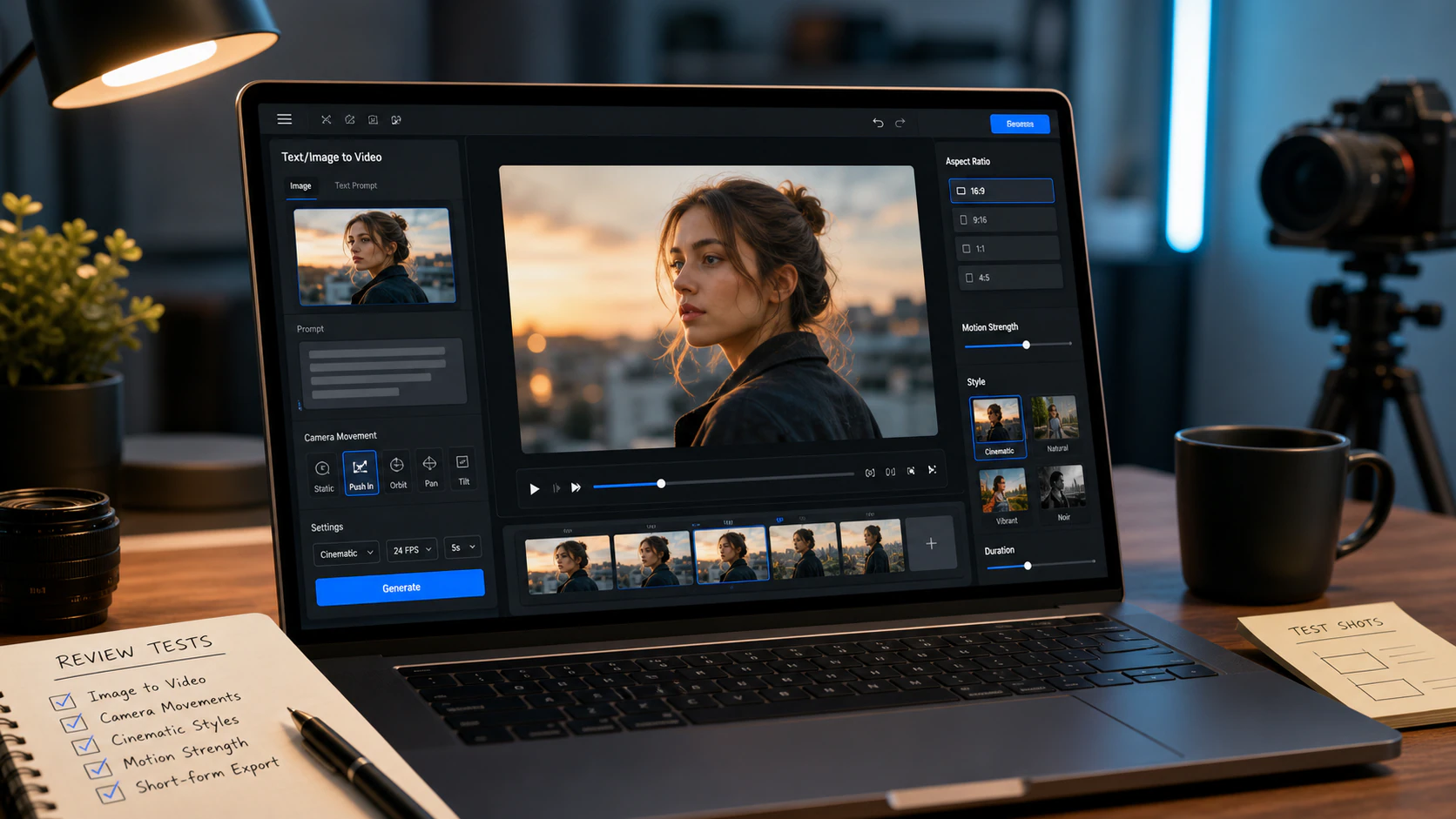
AI-powered image and video tools have made visual content creation much easier for people who do not want to learn complicated editing software. Instead of working with layers, timelines, plugins, and technical settings, users can often describe an idea, upload an image, or choose a ready-made effect and let AI handle much of the process.
Unlucid AI is one of these browser-based creative platforms. It combines AI image generation, image editing, short video creation, and visual effects in a single workspace. The platform is designed around quick experimentation, making it useful for social media posts, creative concepts, profile visuals, memes, and short animated clips.
This guide explains how the platform works, what its main tools are useful for, how its credit system affects costs, and what users should consider before uploading personal or commercial material.
What Is Unlucid AI?
Unlucid AI is an online creative platform focused on AI-generated and AI-enhanced visual content. Rather than requiring users to install specialist software or configure local AI models, it provides its tools through a web interface.
Its main creative areas include:
- AI image generation from text prompts
- Editing existing images
- AI-powered video creation
- Short visual effects
- Image-to-video style transformations
- Creative effects for social media content
The platform is particularly appealing to users who want fast results without building a complicated workflow.
For example, someone might have a portrait and want to turn it into a short animated clip. Another user may want to generate a fictional character from a written description. A social media creator could also experiment with unusual motion effects without manually animating the original image.
The important distinction is that this type of platform is primarily a generation and experimentation tool. It should not automatically be treated as a replacement for a complete professional video editor.
How the Platform Fits Into a Creative Workflow
A typical project can start in several different ways depending on the desired result.
Starting with a text prompt
For completely new artwork, a user can describe the subject, setting, appearance, mood, and visual style. The system then produces an image based on that description.
A useful prompt might specify:
- Main subject
- Environment
- Lighting
- Camera perspective
- Clothing or appearance
- Artistic style
- Overall mood
The more clearly the intended result is described, the easier it is to evaluate whether the generated image meets the original idea.
Starting with an existing image
Users who already have a photograph or graphic can work from that source instead of starting from nothing. This is useful for experimenting with visual changes or preparing an image for an animation effect.
However, source material deserves careful attention. An AI tool can modify details that are easy to overlook, particularly small text, hands, facial features, product labels, and background objects.
Applying an effect
Another simple workflow is to upload an image and select a predefined animation or transformation. This can be faster than writing a detailed video prompt and is particularly useful for short social-media clips.
After generation, the result should be reviewed before publication. A few seconds of AI-generated motion can contain unexpected changes even when the original image looked perfectly normal.
Main Creative Tools to Explore
AI Image Creation
The image-generation feature is useful when the goal is to turn an idea into a visual without manually designing everything.
Possible applications include:
- Character concepts
- Social media artwork
- Story ideas
- Moodboards
- Fictional scenes
- Profile graphics
- Promotional concepts
- Visual experiments
One advantage of prompt-based creation is speed. A creator can test several concepts without photographing or illustrating every version manually.
The limitation is consistency. If a project requires the same person, character, product, logo, or visual identity across many images, testing is essential before depending on the tool for a larger campaign.
Image Editing
AI editing can be useful when an existing image needs a creative adjustment rather than a completely new composition.
For example, a user may want to change the appearance of a scene, experiment with a different visual treatment, or prepare an image for another AI effect.
Always inspect the final image at full resolution. AI editing can introduce subtle changes to:
- Fingers and hands
- Facial details
- Jewelry
- Clothing
- Product packaging
- Signs
- Small text
- Background objects
These problems may not be obvious in a thumbnail but can become noticeable when the image is published or used commercially.
Video Creation
The video-focused features are intended for users who want to turn visual ideas into moving content.
This can be useful for:
- Short social clips
- Concept videos
- Visual hooks
- Animated photographs
- Experimental scenes
- Simple promotional ideas
The practical limitation is that creating a clip is different from completing a finished video project. A creator may still need another application for subtitles, music, narration, detailed cutting, transitions, color adjustments, or final platform formatting.
For that reason, it makes sense to view AI video generation as one stage of a broader production process.
Creative Effects
Preset effects can make the process easier for beginners because users do not have to describe every movement themselves.
Depending on the available effect library, users can experiment with transformations involving movement, zooming, reveals, celebrations, exaggerated motion, or other visual concepts.
These effects are particularly suitable for social posts because they can turn an ordinary still image into a short attention-grabbing clip.
What Determines the Quality of an AI Result?
There is no single quality level that applies to every generation. Results can vary according to the prompt, source image, subject, effect, and number of attempts.
A useful testing process is to examine five areas before paying for larger usage.
| Test area | What to check |
|---|---|
| Faces | Does the person’s appearance remain believable? |
| Hands and bodies | Are anatomy and movement consistent? |
| Text | Are words, signs, and labels readable? |
| Products | Does packaging or branding remain accurate? |
| Motion | Does animation look natural rather than distorted? |
This approach is more useful than judging the service from one impressive example. AI-generated content can look excellent in one situation and produce unexpected results in another.
For professional work, generate several samples using the exact type of content you plan to create regularly. That gives you a much clearer idea of whether the workflow fits your needs.
Understanding the Gem-Based Pricing Model
The platform uses Gems as a usage-based credit system rather than relying exclusively on a traditional monthly subscription.
A free entry option allows users to experiment before purchasing additional credits. Paid packages can then provide a larger amount of usage, with certain packages offering outputs without watermarks.
The reported package structure includes options such as:
| Gem package | Listed price | Potential use |
|---|---|---|
| Free daily Gems | $0 | Basic testing and experimentation |
| 120 Gems | $8.99 | Smaller projects and occasional use |
| 450 Gems | $29.99 | More frequent creative sessions |
| 1,250 Gems | $59.99 | Higher-volume experimentation |
The word “up to” matters when looking at these allowances. A theoretical number of generations does not necessarily equal the number of finished assets a creator will actually receive.
Suppose a creator generates an image several times because the first versions contain unwanted details. The effective cost of the final usable image is then higher than simply dividing the package price by the maximum advertised generation count.
A sensible approach is to test the free allowance first and only purchase additional credits after confirming that the results match the intended workflow.
Who Can Benefit From It?
The platform can be useful for several types of creators.
Social media creators
People creating Instagram, TikTok, Facebook, or other short-form content can use AI visuals to experiment with ideas quickly.
Casual users
Someone who simply wants to transform a photograph or create an unusual image may appreciate the browser-based workflow because there is little technical setup.
Content teams
Small teams can use AI generation during brainstorming, especially when they need rough visual concepts before investing time in a polished design.
Beginners
Users without experience in professional editing software can explore AI-assisted creation through prompts and preset effects.
However, users working with confidential client information, highly controlled branding, or complicated production requirements should test the complete workflow carefully before making it part of their regular process.
Privacy, Consent, and Responsible Use
Using an AI visual service involves more than judging image quality. The source material also matters.
Before uploading a photograph, ask whether you have the right to use it. This becomes especially important when the image contains another recognizable person.
The platform’s published terms place restrictions around areas such as:
- Minors
- Non-consensual intimate imagery
- Impersonation
- Deceptive use
- Intellectual-property violations
- Harmful content
- Unauthorized use of another person’s likeness
The terms also state that users must meet the platform’s age requirement.
For face-based projects, permission is particularly important. Having access to someone’s photograph does not automatically mean that you have permission to transform and publish it.
Businesses should also consider confidentiality. Before uploading private client images, internal documents, unreleased products, or sensitive creative assets, review the current privacy policy and understand how uploaded material is handled.
Commercial Use Requires Extra Care
AI-generated content can be attractive for commercial projects because it can reduce the time needed to create initial concepts. But commercial use introduces additional questions.
Before publishing an AI-created asset for a client, check:
- Whether the source material is legally usable.
- Whether recognizable people have given appropriate permission.
- Whether trademarks or copyrighted characters appear in the result.
- Whether the generated output contains inaccurate branding.
- Whether the client’s contract permits AI-generated material.
- Whether the final image or video needs additional human editing.
Ownership of an AI-generated output and permission to use every element appearing inside that output are not necessarily the same issue.
For example, an AI-generated advertisement could accidentally contain a logo resembling an existing brand. Similarly, an image based on another person’s photograph can raise likeness and consent concerns.
Human review should therefore remain part of the publishing process.
Unlucid AI Compared With a Full Editing Workflow
A useful way to understand Unlucid AI is to separate generation from finishing.
| Requirement | AI generation platform | Full editing software |
|---|---|---|
| Generate an image from text | Strong use case | Usually secondary |
| Apply quick AI effects | Strong use case | May require more manual work |
| Create a short visual concept | Useful | More control |
| Detailed timeline editing | Limited | Core function |
| Audio mixing | Not the primary focus | Usually available |
| Captions and subtitles | May require another tool | Commonly supported |
| Precise branding control | Requires testing | Greater manual control |
| Final production workflow | Often incomplete alone | Designed for finishing |
This distinction helps prevent unrealistic expectations. A creator may use AI generation to produce the main visual and then move that asset into another application for subtitles, audio, transitions, resizing, compression, and final export.
That combined workflow can be more practical than expecting one AI platform to handle every stage.
Practical Tips for Better Results
Start with simple prompts
Do not overload the first prompt with dozens of instructions. Begin with the main subject and visual direction, then refine the idea after reviewing the output.
Use clean source images
When working from an uploaded image, a clear source with good lighting and an obvious subject generally gives the system less visual ambiguity to interpret.
Test difficult content early
If your project depends on accurate hands, text, products, faces, or repeated characters, test those elements before purchasing a large credit package.
Keep original files
Save the original photograph or design separately. AI editing should be treated as a new version rather than the only copy of the source.
Review before publishing
Do not assume a generated image is accurate simply because it looks convincing at first glance. Zoom in and check details that matter to the project.
Track credit usage
If you use a pay-as-you-go system, record how many attempts are required to produce one usable asset. This provides a more realistic picture of your actual cost.
Common Mistakes to Avoid
One common mistake is purchasing a large credit package before testing the exact type of content you need.
Another is judging quality from promotional examples alone. A carefully selected demonstration does not necessarily represent every prompt or source image.
Users can also overlook the finishing stage. A generated video may still need:
- Captions
- Voice-over
- Music
- Audio cleanup
- Scene trimming
- Resizing
- Branding
- Compression
Finally, avoid treating AI output as automatically accurate. Faces, written text, product information, and recognizable designs deserve human inspection before publication.
Frequently Asked Questions
Is Unlucid AI free to use?
The platform provides a free entry option through daily Gems, allowing users to experiment without immediately purchasing a package. Free usage can be useful for testing the interface and determining whether the image or video results suit your needs. Availability and allowances can change, so users should check the current pricing page before relying on a particular free-credit amount.
What are Gems used for?
Gems function as the platform’s usage credits. They are consumed when users generate or process visual content, while paid packages provide additional credits for people who need more usage. The actual number of finished assets depends on the type of task and how many attempts are required, so advertised maximums should not automatically be treated as guaranteed usable outputs.
Can Unlucid AI create videos?
Yes. The platform includes AI video and visual-effect features intended for creating short moving content. These tools can be useful for social media clips, animated images, and creative experiments. Users who need advanced editing, detailed timelines, audio production, subtitles, or professional finishing may still need a separate video editor after generating the initial material.
Can AI-generated images be used commercially?
Commercial use depends on the specific content, applicable rights, platform terms, and how the material was created. Users should verify permissions for source photographs, recognizable people, trademarks, copyrighted elements, and client-owned assets. An AI-generated result should also be reviewed for accidental branding or other elements that could create legal or contractual problems before being used in paid work.
Is Unlucid AI safe for personal photos?
Personal-photo safety depends partly on the sensitivity of the material and the platform’s current privacy practices. Users should review the privacy policy before uploading photographs they consider private or sensitive. For images containing other people, appropriate permission should also be obtained. Avoid uploading confidential material simply because a tool makes the process convenient.
Does Unlucid AI work for social media content?
The platform can be useful for social media because its image generation, editing, and short visual effects are suited to quick creative experiments. A creator can turn a still image into a more dynamic post or generate artwork from a concept. Final content may still need another application for captions, music, branding, timing, or platform-specific formatting.
Should beginners try Unlucid AI?
Beginners may find the browser-based approach easier than setting up advanced AI software. Prompt-based generation and preset effects reduce the amount of technical knowledge required to start experimenting. A good starting method is to use the available free credits, test several different types of content, and learn how the system behaves before spending money on larger credit packages.
How can I reduce wasted Gems?
Start with clear prompts and suitable source images, then make smaller changes between attempts rather than completely rewriting everything. Test simple projects before difficult ones and avoid repeatedly generating content when the underlying idea needs improvement. Keeping track of which prompts and settings produce usable results can also reduce unnecessary retries and make a credit-based workflow more predictable.
Final Thoughts
AI visual platforms are most useful when they solve a specific creative problem without adding unnecessary technical complexity. Unlucid AI brings image generation, editing, video creation, and visual effects together in an accessible online workflow, making it suitable for experimentation and short-form creative projects.
Its credit-based approach also gives users a way to test the service before committing to larger spending. The smarter approach is to evaluate the exact tasks you need rather than assuming that every AI generation will produce a publication-ready result.
For casual images and short creative experiments, the platform can be part of a useful workflow. For client projects, sensitive photographs, detailed branding, or finished video production, combine it with careful rights checks, human review, and appropriate editing tools. The best results come from treating AI as a creative assistant rather than skipping the review process altogether.